Built in from the first build on every tier. Further down, the phone app and the admin dashboard are extras on some tiers, and each one says where it is included.
Map and directions
Your pin on a live map, with one-tap Google Maps directions to the door.
Real questions answered in a FAQ with FAQPage schema, so Google and voice assistants can quote the answer and name you.
Your analytics
Google Search Console and Bing set up in your name, and Google Analytics, so the numbers belong to you. The admin dashboard that shows them in one place is included on Business and Custom, and an add-on on Starter and Brochure (R1 500 one-off).
Facebook or Instagram window
Your latest posts shown live on your own site, so you post once and the website stays fresh. Where you keep an active page, we add the window to the page that suits it.
A WhatsApp button and a tap-to-call number on every page, built for the phone first.
The page library: free where it fits
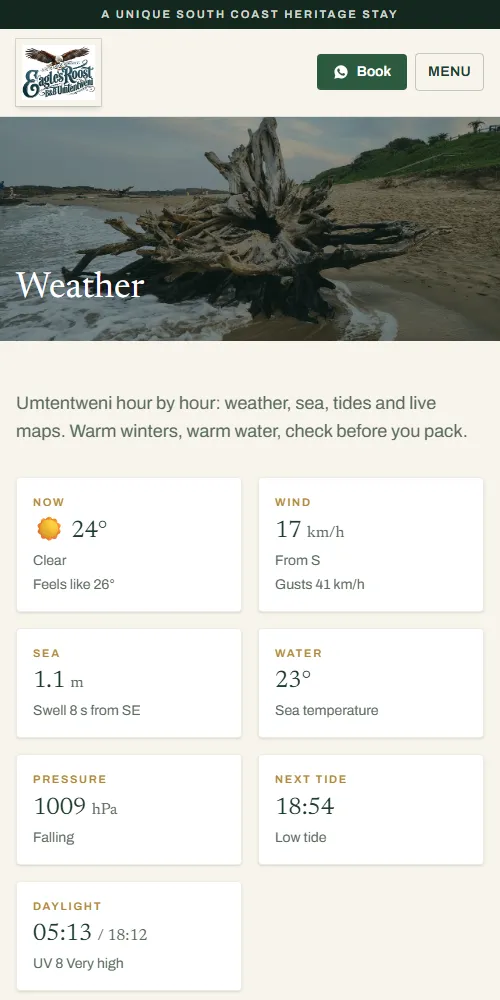
A guest house gets weather and tides; a fencing firm does not. We add the library pages your customers will use, at no page-building charge. Starter gets the template pages; Brochure and up also get the researched ones. Pictures are from Eagle’s Roost in Umtentweni.
Free library page, every tier
Weather and tides
Hour-by-hour weather for today and tomorrow, a 7-day outlook, wind, swell and sea temperature, Windy wave and storm maps and the latest satellite picture. A tides page shows high and low tide, a 7-day tide curve and the moon, for beach walks, fishing and rock pools.
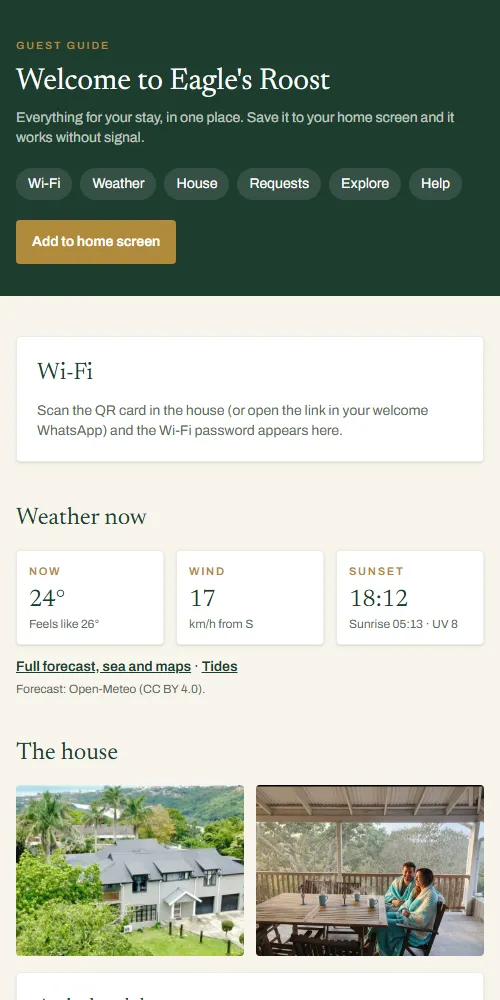
Phone app: included Brochure and up, R1 500 on Starter
A guest app that works without signal
A guest guide your visitors add to their home screen: Wi-Fi, check-in times, house rules, weather now, places to eat and one-tap WhatsApp requests. It keeps the last good copy on the phone, so it still opens with no signal.
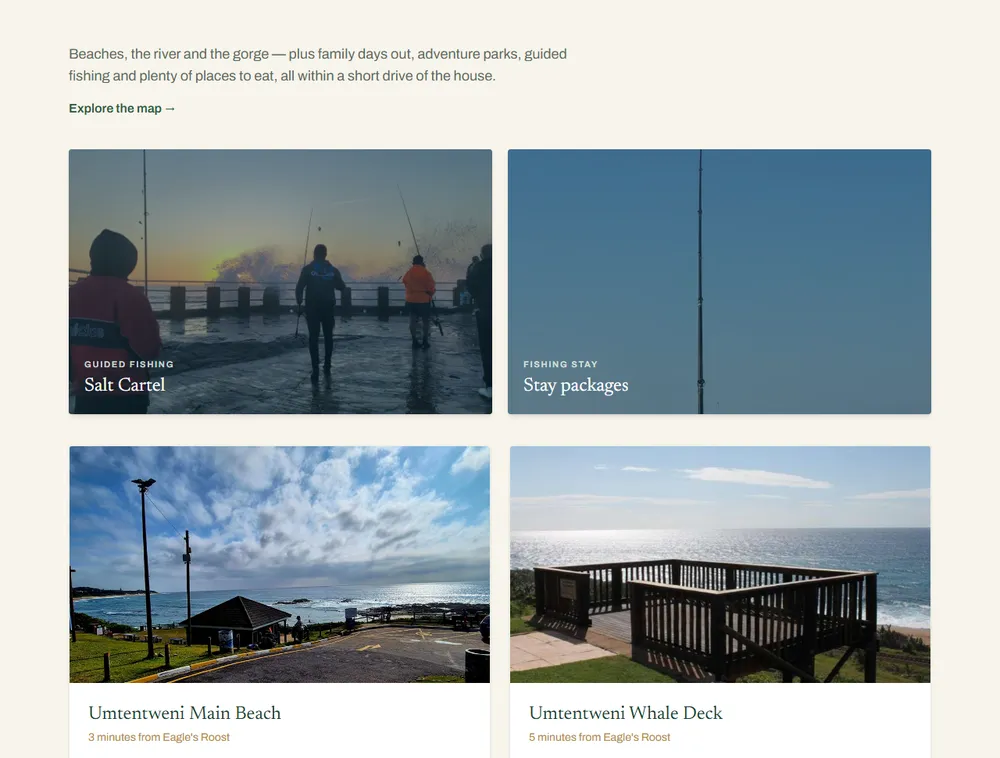
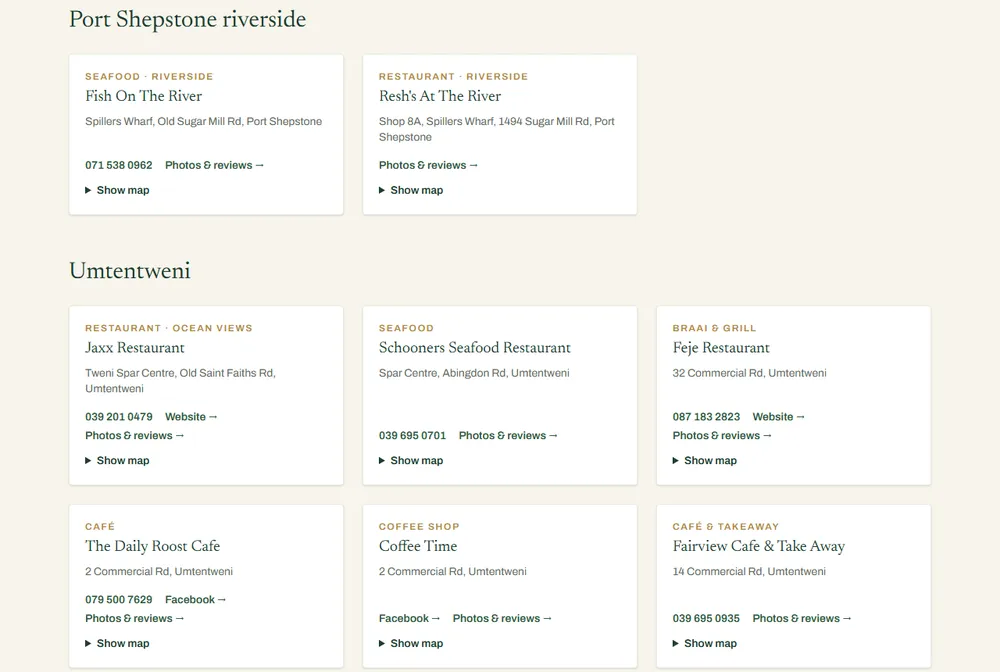
We research what is around you (beaches, walks, the river, family days out, fishing guides) and write a page with real distances from your door, photos and a map, so guests plan their stay on your site.
One private page for your site's numbers, progress and to-dos, with the links you would otherwise hunt for, so you do not log in to several tools to see whether the site is bringing people in.
Included on Business and Custom. On Starter and Brochure it is a one-off R1 500 set-up add-on, without ongoing upkeep. Ask for it with your quote, or add it to a site we have already built.
Your own private page: you sign in with your Google account, and only you and we can open it
Site stats: visitors, sessions, page views and average visit length for the last 7, 28 or 90 days, with sessions per day as a chart
Top pages, where visitors came from and which countries they are in
Google searches: the words people typed to find you, how often you were shown and clicked, and your average position, from Search Console
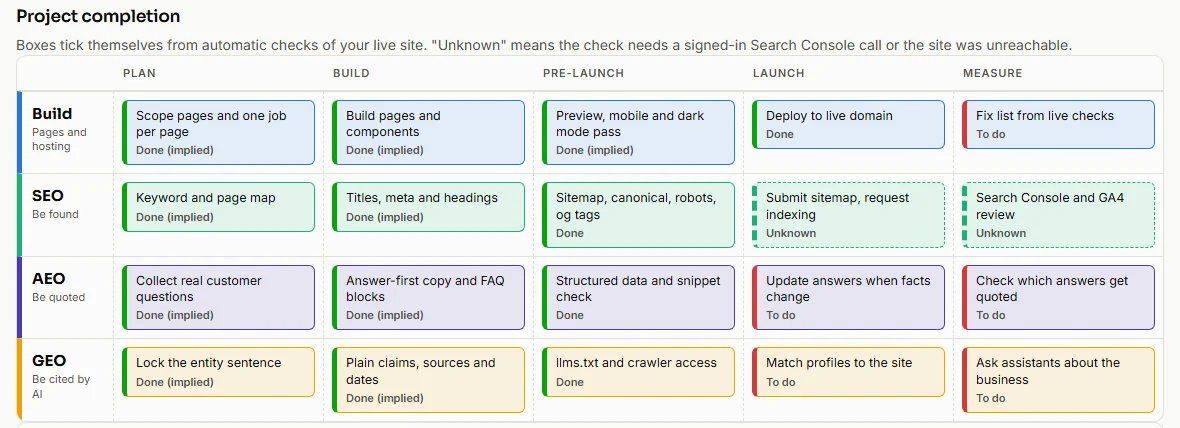
Project completion: a checklist of what is done on your site, ticked from automatic checks of the live pages (titles, sitemap, schema and the analytics tag)
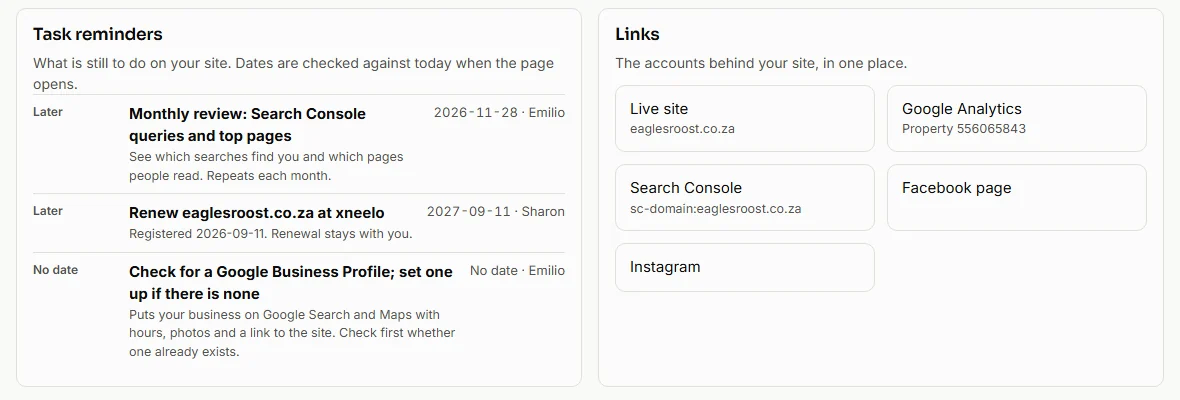
Task reminders: what is still to do on your site, so nothing waits unseen
One page of links to the accounts in your name, such as Google Analytics, Search Console and your social pages, so you do not hunt for them
Set up for you: we give your Google account access to your numbers and fill in the reminders and links, so there is nothing for you to edit. On Business and Custom we also keep the reminders and links up to date
Project completion: each box ticks itself from automatic checks of the live site. Example from Eagle’s Roost.Task reminders and the accounts behind the site, in one place. Visits and Google searches load once you sign in with Google.